The problem
AI assistants can write and browse, but they can't pick up your phone. And the services that do let software make calls route your conversations through their servers.
 AgentCall on GitHubv1.0.0 · hardware-qualified release
AgentCall connects an Android phone to your computer with one USB cable. Your local AI agent — or you — can then dial, talk and listen on your normal number. Nothing goes through the internet, and no call ever leaves your desk.
AGPL-3.0 · Android 8.0+ · Windows 10/11 & Debian/Ubuntu x86-64
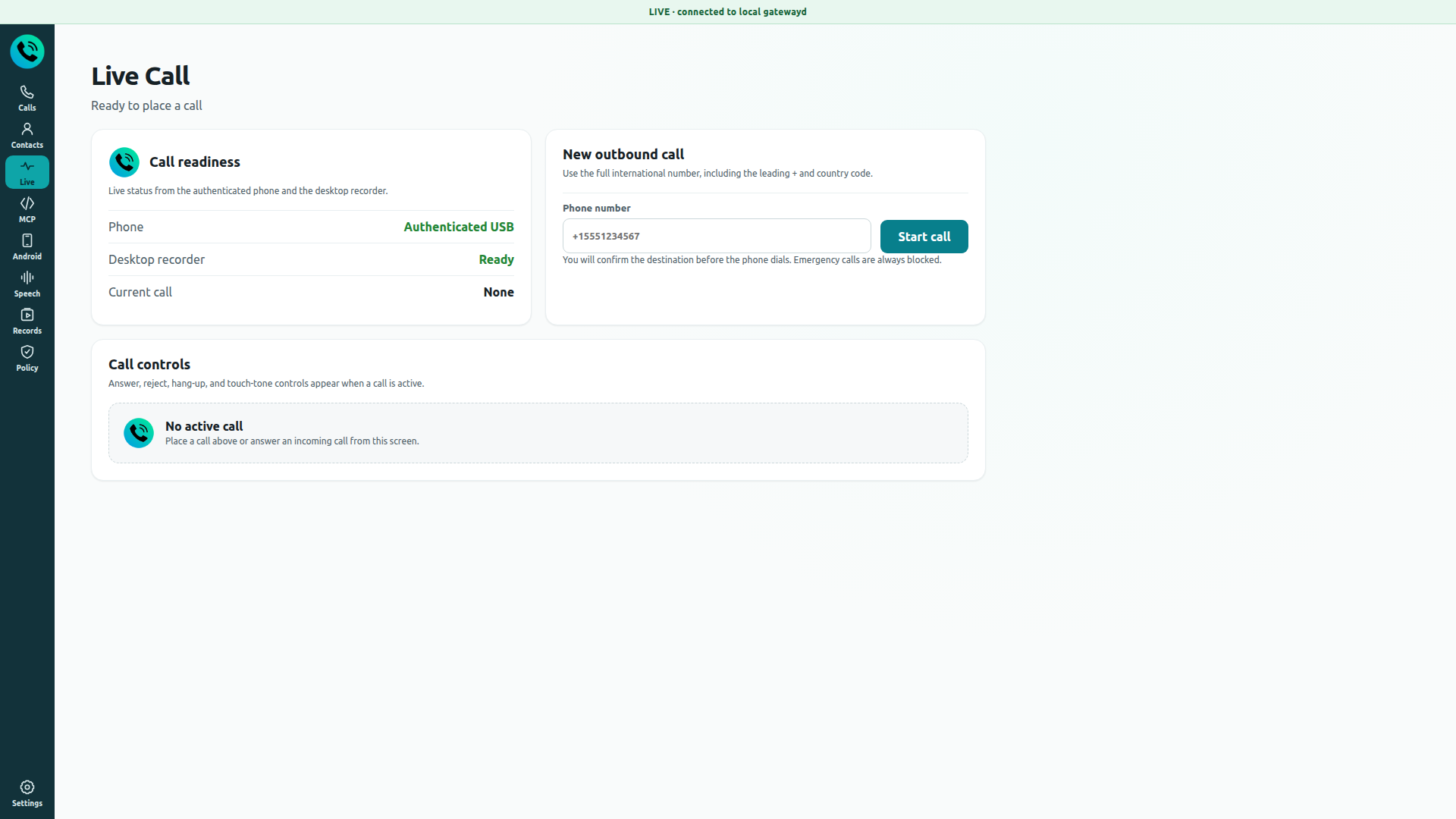
AgentCall Desktop — Live Call: Place and control cellular calls with realtime transcriptTap the image to view it full screen
Works with
AI agents that can place the call
 Hermes Agent
 OpenClaw
Voices and transcription it can use
 OpenAI
 ElevenLabs
 Supertonic (offline)
In plain words
The problem
AI assistants can write and browse, but they can't pick up your phone. And the services that do let software make calls route your conversations through their servers.
What AgentCall does
It installs on an Android phone and on your computer, and links them with a single USB cable. Your computer can now place and answer real calls on that phone's SIM.
Why that matters
Calls happen on your own number, and audio, transcripts and recordings never leave your two devices. Your local AI agent can handle a call — or you can take it yourself.
Make and take normal calls on your own number and SIM. No internet calling account to set up.
AgentCall gives local agents like Hermes and OpenClaw simple commands: call, listen, speak, hang up.
Live transcription of the other person, and a natural voice for your agent. Offline voices supported.
Switch to your computer's mic and speakers and talk to the caller like a normal headset call.
Contacts, call history and recordings are stored on your own computer, not in someone's cloud.
If a rule, identity or recording check fails, the call simply doesn't happen. No silent surprises.
No meter running
Cloud calling platforms charge you for every minute, every number and every transcription. AgentCall uses the SIM and the plan you already pay for — so the call costs exactly what a normal call from your phone costs.
The usual way
 Twilio
 Vapi
VapiWith AgentCall
You own the stack — the app, the phone, the cable and the calls.
Four pieces, one cable. The call audio travels down the USB cable between your phone and your computer — there is no network path into either device.
Your phone network
The call is a normal cellular call on your SIM
The AgentCall phone app
Becomes your phone's dialer and handles call audio
The USB cable
The only link between phone and computer — no Wi-Fi, no internet
Your computer
You control the call, or your local AI agent does
What it deliberately does not do
The phone side is just three screens: the dialer you already know, the USB link to your computer, and the recordings of your calls.
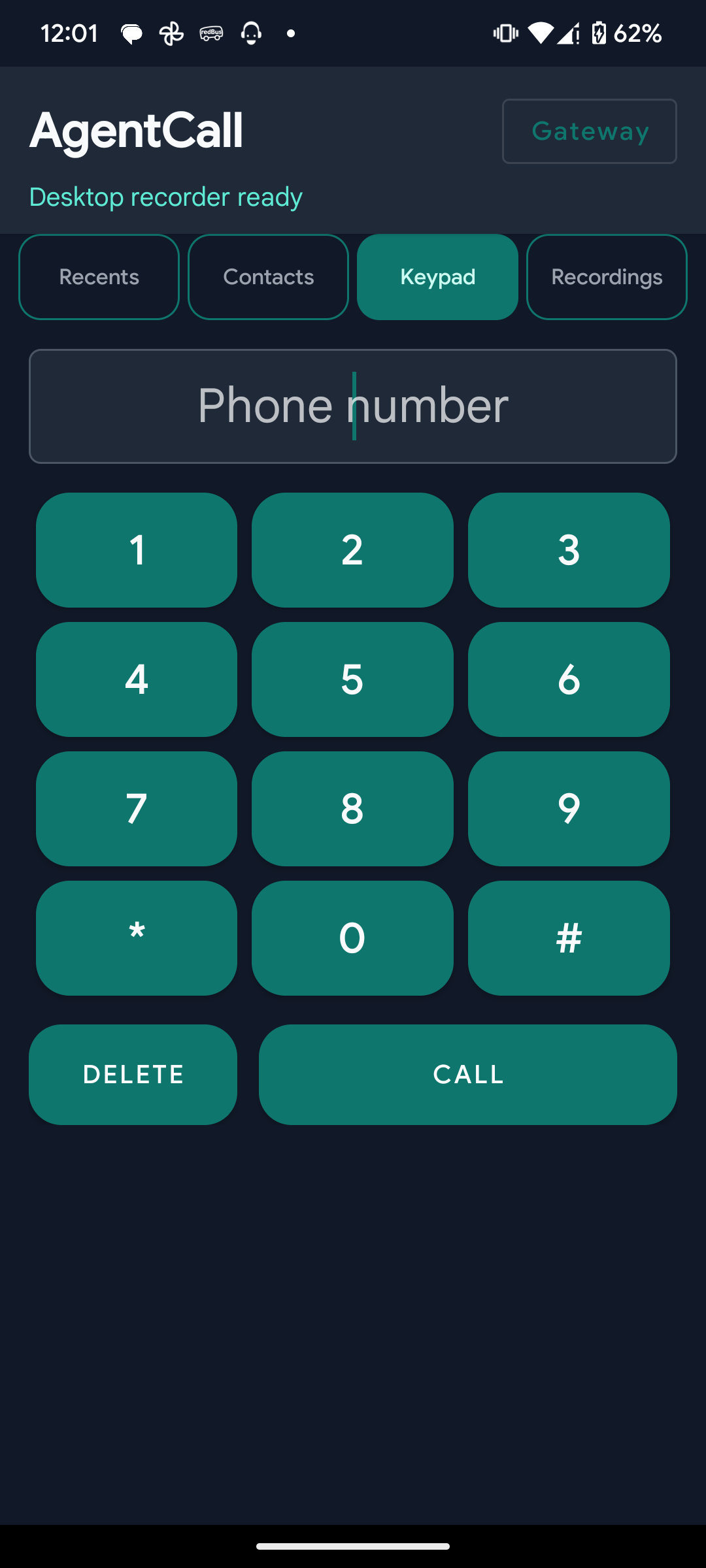
The dialer on your phone
AgentCall becomes the phone's default Phone app: keypad, recents, contacts and local recordings.
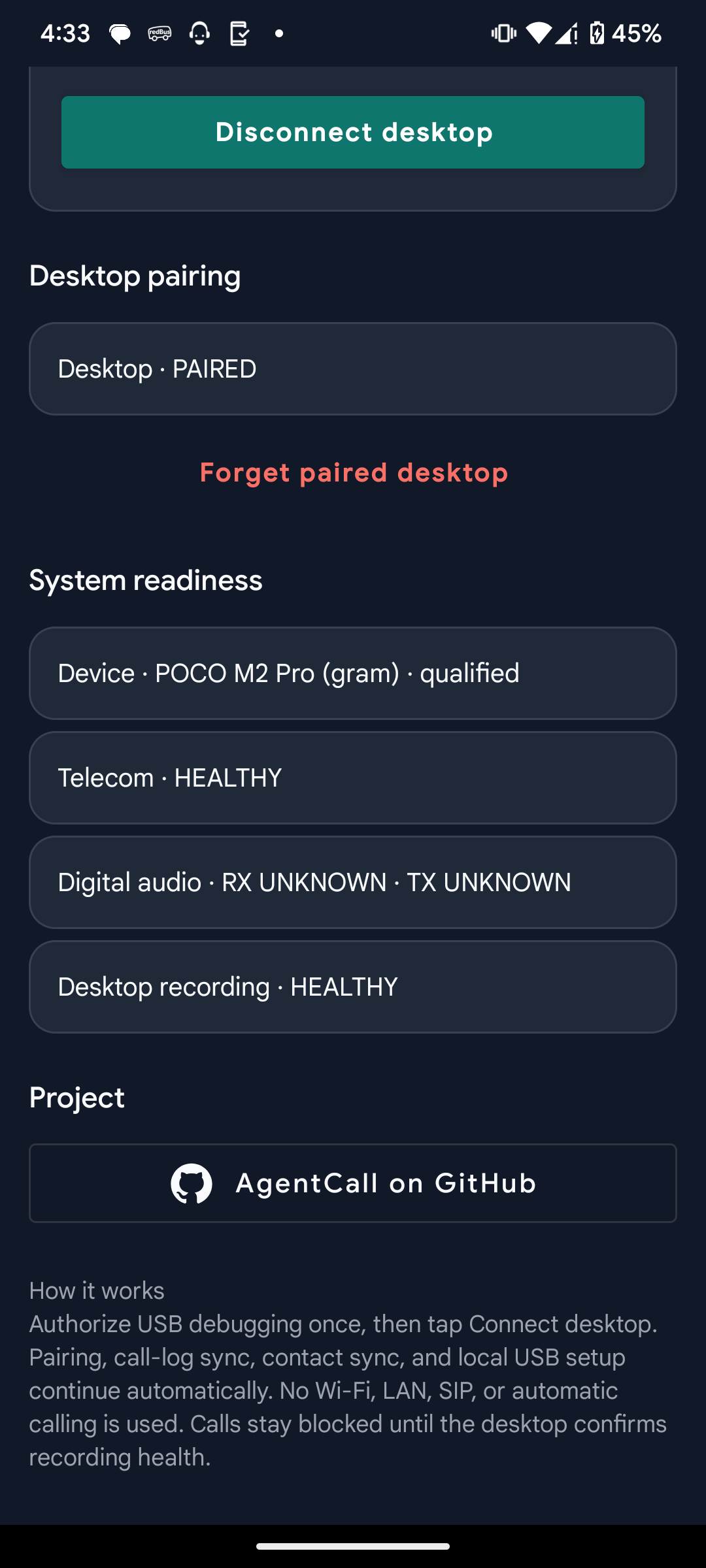
The USB link and safety checks
Shows the paired desktop and readiness checks — device, telecom, audio and recording. Calls stay blocked until they pass.
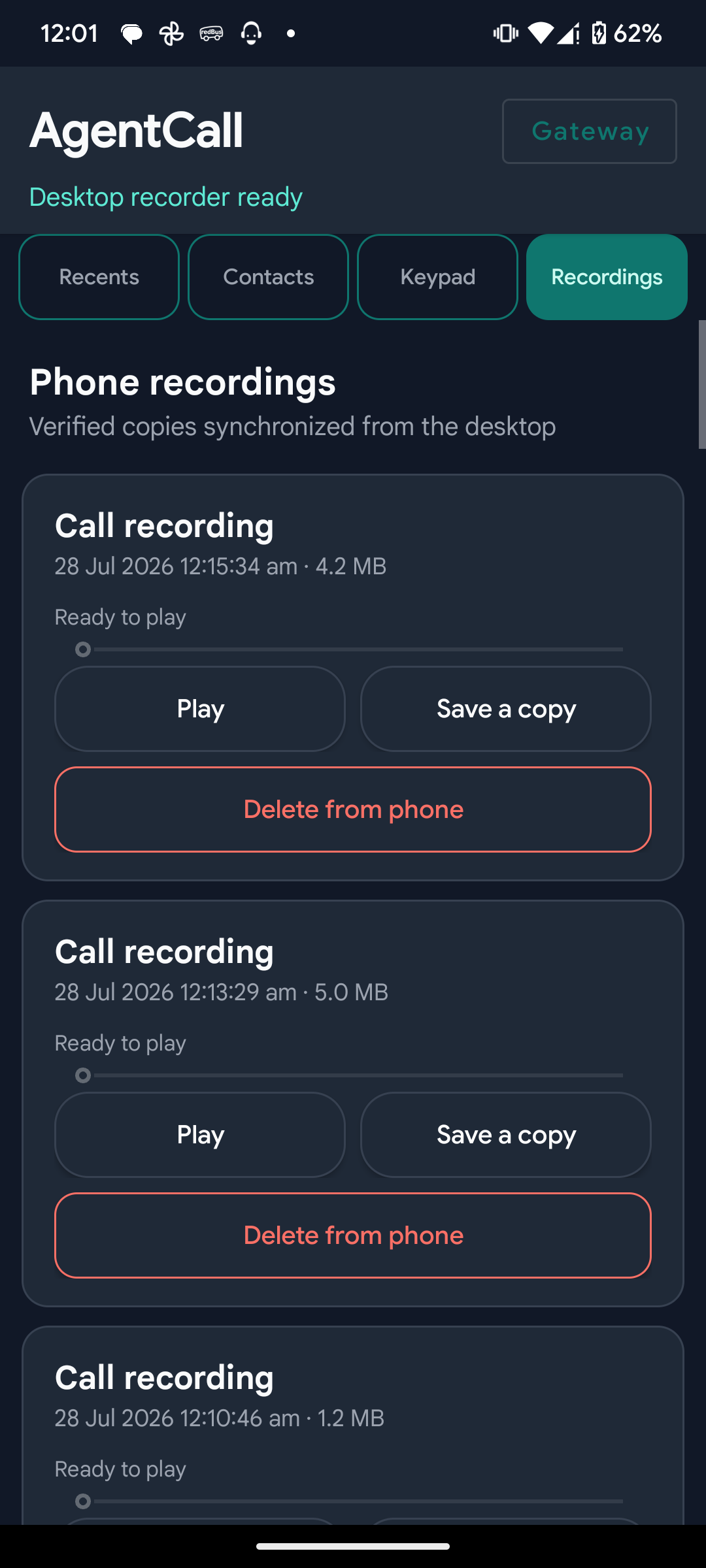
Recordings, kept on your devices
Verified copies of each call sync from the desktop. Play them, save a copy, or delete them from the phone.
Tap any screenshot to enlarge · fictional sample data
Live Call
Place and control cellular calls with realtime transcript
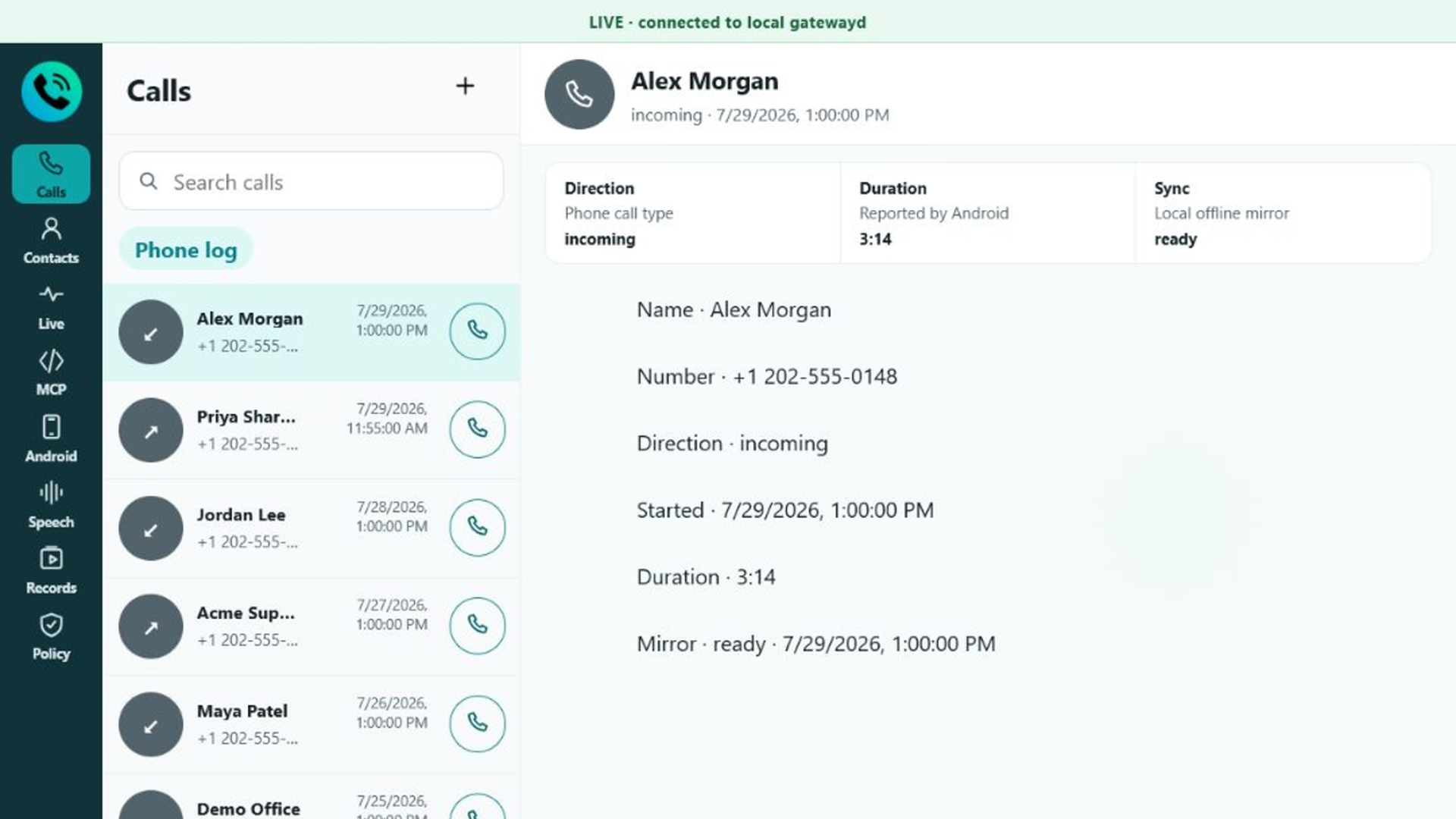
Calls
Synchronized history with one-click dialing
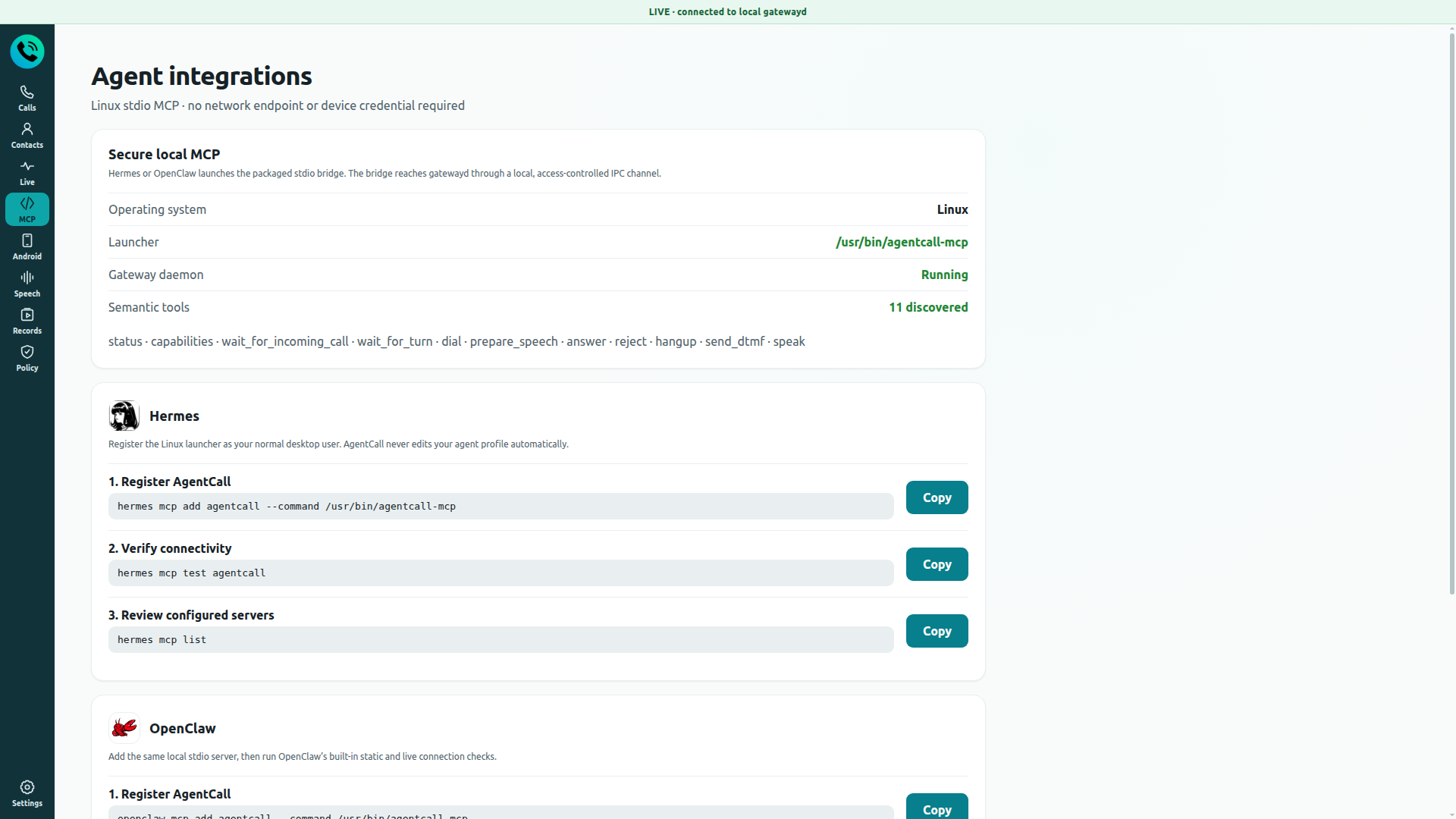
MCP
Copy the OS-specific stdio command for your agent
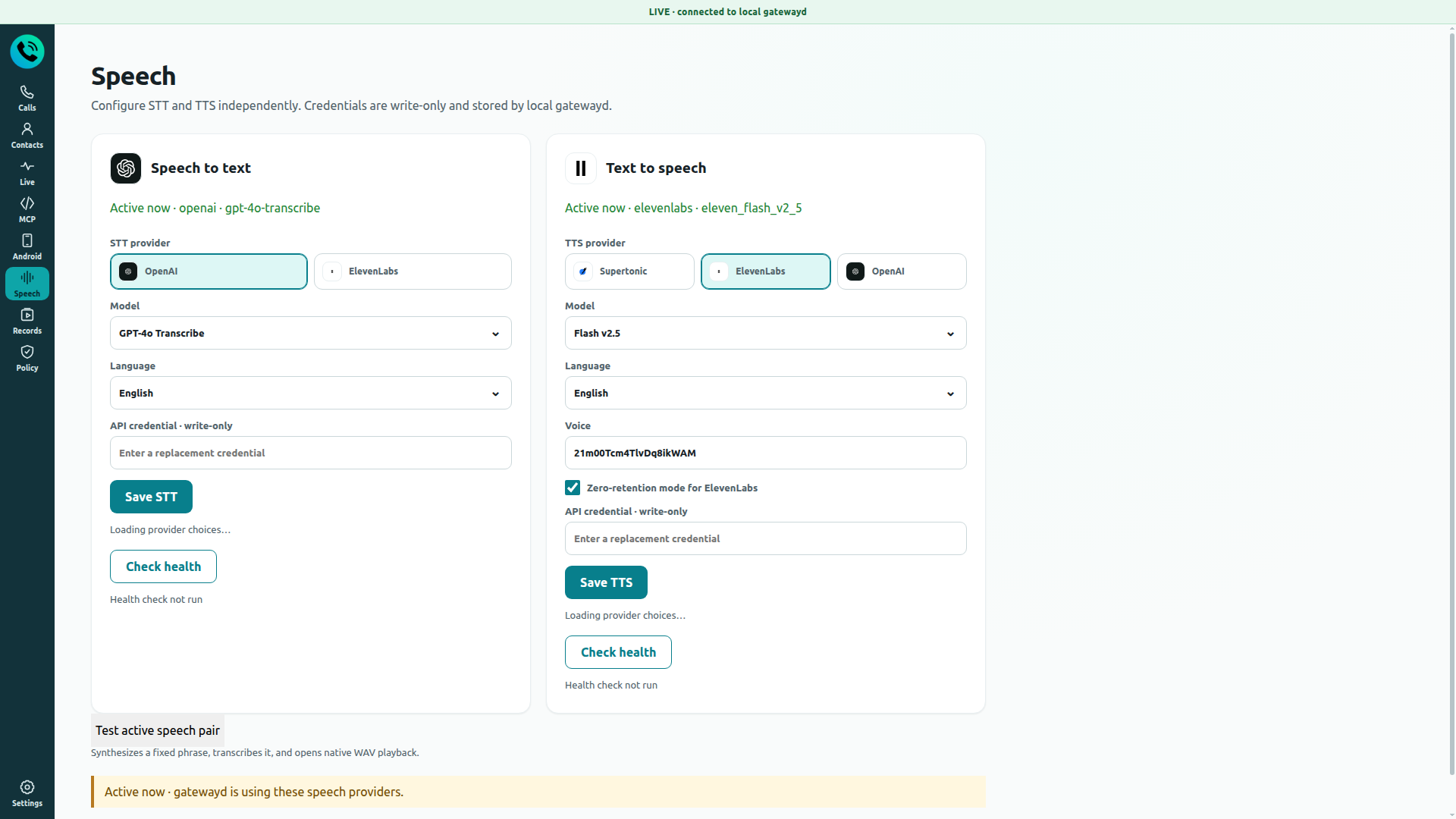
Speech
STT/TTS providers with health checks
Let Hermes or OpenClaw make appointment calls, follow up with people, or answer the phone for you.
Use your computer as the handset for your existing SIM, with recordings kept on your own disk.
Every part is open source and inspectable, from the phone app to the call policy checks.
An Android phone
Android 8.0 or newer, with a working SIM
A computer
Windows 10/11 or Debian/Ubuntu Linux
One USB cable
The phone and computer talk only through this
Optional: an AI agent
Hermes or OpenClaw, running locally
The privileged calling mode is currently qualified on one reference phone (Xiaomi POCO M2 Pro). Other devices work through the standard app, or after passing the device porting checks.
Six steps from download to your first call.
Heads up: disable BCR or any other call recorder before hardware testing — two apps competing for Android's in-call capture device can produce silent or unstable audio.